Burning Bridges AI

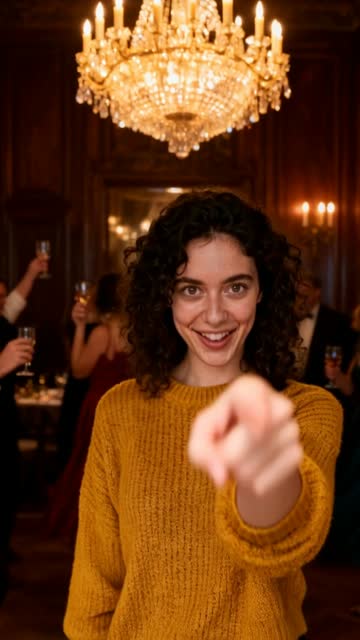
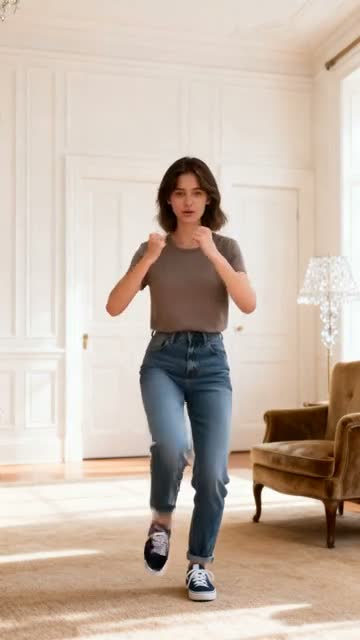
You, mouthing the chorus in a chandelier-lit party while the guests dance: a 15‑second video for TikTok and Reels from one photo, $6.90.

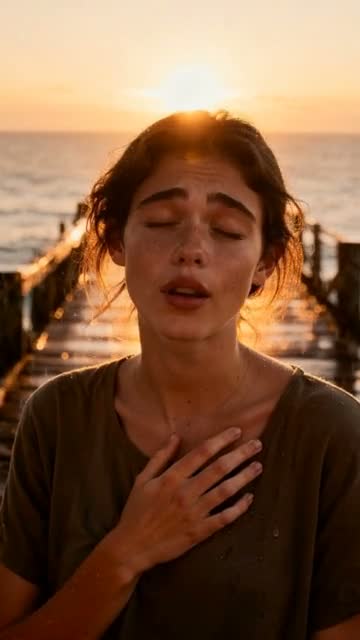
The person here is AI‑generated: no real person’s photo was used.

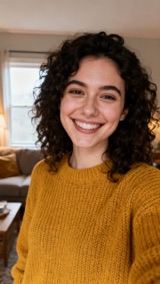
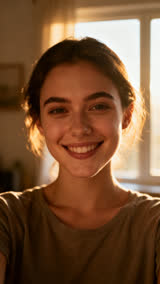
The photo it started from: a smiling woman with curly hair in a mustard sweater, in a living roomFrom one photo

Make your Burning Bridges video

2 Pick the shape
1 Add your photo

One person, from the waist up or the whole body, face to the camera: we put you in the Burning Bridges party, then you move.

One person, waist up or whole body, face to the camera, in good light.

This costs $6.90.

You are taken to Your videos, where it shows up when it is done, and we email you. Failed? Make it again at no cost.

  • No subscription
  • Free retry if it fails
  • One free remake
  • Vertical or horizontal
The photo it started from: a smiling woman with curly hair in a mustard sweater, in a living roomFrom one photo
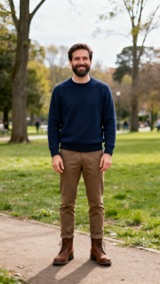
The photo it started from: a bearded man in a navy sweater standing in a parkFrom one photo

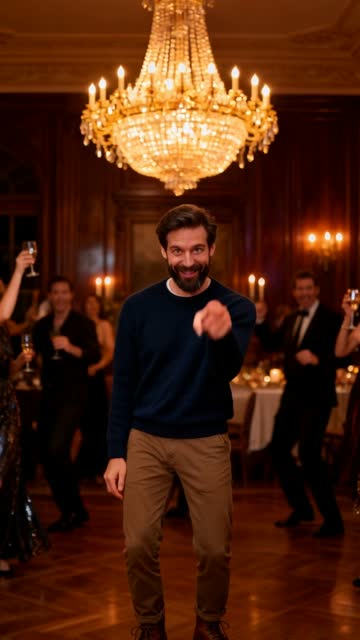
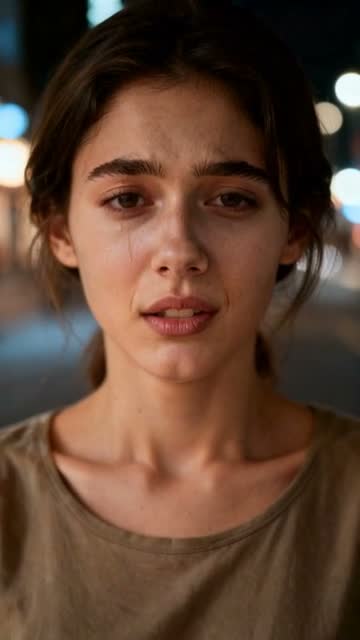
The people in these samples are AI‑generated: no real person’s photo was used.

How to make the Burning Bridges AI trend

Three steps, and nothing to install. The last one happens in TikTok or Reels.

  1. Add one photo of you. One person, from the waist up or the whole body, face to the camera, in good light.
  2. The AI puts you in the Burning Bridges party. It makes you the one in the middle of the chandelier room, mouthing the chorus to the camera, nodding to the beat and pointing at the camera while the guests dance. It keeps your face, hair and clothes.
  3. Add the trending sound when you post. The video comes without sound. In TikTok or Instagram Reels, add the trending "Burning Bridges" sound from the app, where the music is licensed for you, and start it at the chorus: the video is the chorus’s length and tempo, so it lines up.

Horizontal too

For YouTube or a computer screen, pick "Horizontal" (16:9): the same scene and moves, made wide, for the same price.

A horizontal Burning Bridges AI video, made from the man's photo above. The people in these samples are AI‑generated: no real person’s photo was used.

What you get

One MP4 of 15 seconds, without sound and without a watermark. If it fails you can make it again at no cost, and if it does not look like you, you can remake it once for free.

  • 15‑second video, vertical (9:16)$6.90 on its own, or $3.98 each when you buy 5 for $19.90: it takes about 5 to 10 minutes.
  • 15‑second video, horizontal (16:9)$6.90, the same video made wide for YouTube and a computer screen: it takes about 5 to 10 minutes.
  • 15‑second video in HD (1080p), vertical$9.90 on its own, sharper, in 1080p: it takes about 8 to 15 minutes.
  • Making more than one?5 videos for $19.90 in a pack, which also pays for any dance on the site. See every pack

For the best result

  • One person in the photo, facing the camera, face clearly visible: no sunglasses, masks or heavy filters.
  • One person, from the waist up or the whole body, in daylight or good light, with no one in front of you.
  • Only upload yourself, or people who agreed to it. No celebrities, no children.

Want to dance instead? Pick one of our AI dances, or see every AI video trend.

More AI video trends

Each one from one photo, for the same price. See every trend

Real results from the site's own model, each from one photo. The people in these samples are AI‑generated: no real person’s photo was used.

Burning Bridges AI: questions

Which AI app makes the Burning Bridges video?

The Burning Bridges AI trend is made with an AI motion-transfer video model: it takes one photo of you and moves you like the performer of a reference clip. You need no app for it: on https://danceaivideo.com/burning-bridges-ai/ you upload one photo in the browser and get the 15‑second video, vertical for TikTok and Reels, in about 5 to 10 minutes.

How do I make the Burning Bridges AI trend?

Three steps. 1: upload one clear photo of you, from the waist up or the whole body, facing the camera. 2: the AI makes you the one in the middle of the chandelier room, mouthing the chorus to the camera, nodding to the beat and pointing at the camera while the guests dance, in a 15‑second video. 3: open it in TikTok or Instagram Reels, add the trending "Burning Bridges" sound from the app and start it at the chorus: the video is the chorus’s length and tempo, so it lines up.

How much does a Burning Bridges AI video cost?

$6.90 on its own, or $3.98 each when you buy 5 for $19.90, paid once, with no subscription. In HD (1080p) it is $9.90, and the horizontal one the same as the vertical. If a video fails, you can make it again at no cost.

Does the video have the song in it?

No. Your video comes without sound, and nothing of the original song or its recording is in it. You add the official sound inside TikTok or Reels, where the music is licensed for you, as every trend video does.

Can I make a horizontal Burning Bridges video?

Yes. Pick "Horizontal" (16:9) in the form for YouTube or a computer screen: the same scene and the same moves, made wide, for the same price.

What photo works best for the Burning Bridges AI trend?

One person, facing the camera, face clearly visible, in good light, from the waist up or the whole body. No sunglasses, masks or heavy filters, and no one else in front of you. The AI keeps your face, hair and clothes.

How long does it take?

About 5 to 10 minutes, and about 8 to 15 minutes in HD. It waits in Your videos, and we email you when it is ready, so you can close the page.

What if it does not look like me?

Press "Remake it free" on the result: each video can be remade once at no cost. If anything fails, you can make it again at no cost.

Is this the official Burning Bridges app?

No. Burning Bridges AI on this site is an independent fan tool for the trend, not affiliated with the artist, the songwriters or the label, and not approved by them. The clip it copies the moves from was made by this site with AI, with fictional adults.

Whose photos can I use?

Only your own, or those of adults who agreed to it. No celebrities or other public figures, no children, and no one who did not agree. We take down anything reported to us that breaks this.

Burning Bridges AI is an independent fan tool for the trend, not affiliated with the artist, the songwriters or the label. The videos it makes contain no part of any song or its recording.