AI dance video: make yourself dance from one photo
Pick a dance, add a photo of you, and in a few minutes you get a vertical video of you doing the moves, ready for TikTok and Reels.
Pick a dance, add a photo of you, and in a few minutes you get a vertical video of you doing the moves, ready for TikTok and Reels.
The AI keeps the face, the clothes and the place from the photo, and gives them the dancer's moves.
 The photo
 The photo
Each dance has its own page, with what it takes and how to get the best result. New trends are added as they come: see the AI dance trends this week.
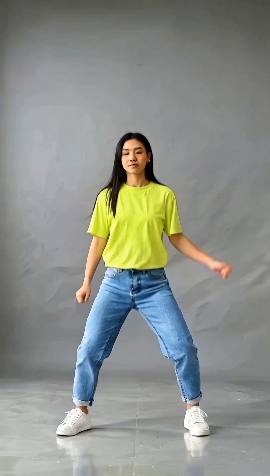 AI hip-hop danceFull bodyAn upbeat hip-hop groove: bouncing knees, step-touches, rolling shoulders, a spin and a confident pose.
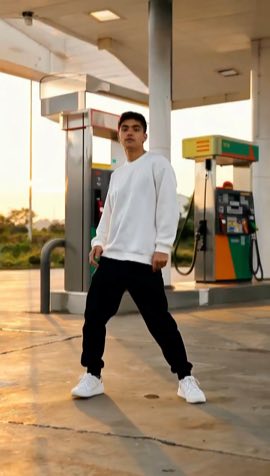 AI gas station danceFull bodyThe laid-back, swaggering groove of the gas station trend: shoulder bounces, step-touches, arm rolls, a point at the camera and a cool half turn.
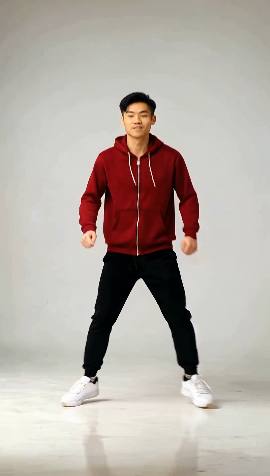 AI shuffle danceFull bodyA fast shuffle on the spot: running-man steps, T-steps and heel-toe footwork with pumping arms.
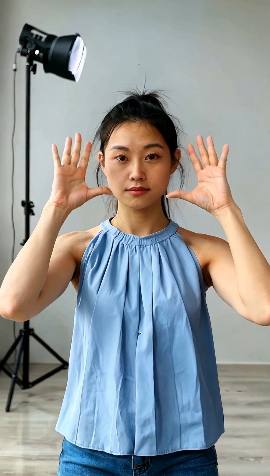 AI hand danceWaist upA catchy hand dance from the waist up: framing the face, crossed wrists, points, rolls, claps and waves.
 AI heart hands danceWaist upA playful upper-body groove: bouncing shoulders and head nods, then heart hands and a point with a grin.
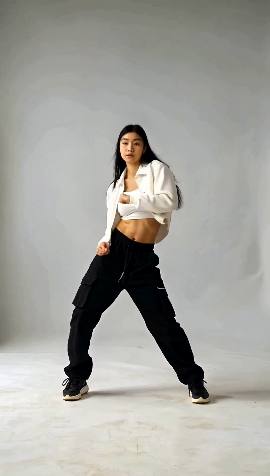 AI choreography danceFull bodyThe lead of a dance crew, solo: sharp arm hits on every beat, arms snapping up, a full turn and a freeze.
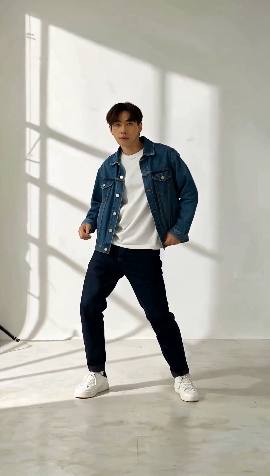 AI slow danceFull bodyA slow, smooth late-night groove: swaying hips, body rolls, relaxed arms and a cool look back.
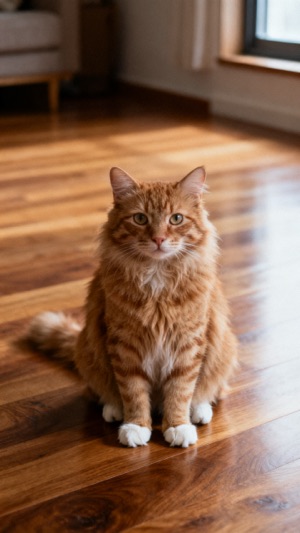
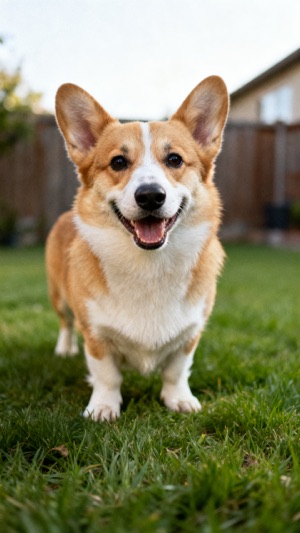
Got a cat or dog? Make your pet dance: the AI stands it up on its hind legs, then it dances.
 The photoThe photo
 The photo
 The photo
Buy credits once and spend them on any dance; a new account starts with 10 credits, one free 5‑second video.
| 5‑second dance video | 10 credits | your first one is free |
|---|---|---|
| 10‑second dance video | 30 credits | $2.90, or $1.99 each in the 10‑video pack |
| 10‑second dance video in HD (1080p) | 50 credits | sharper, in 1080p, for 20 credits more |
You pay with credits, once, with no subscription. A 10‑second dance video takes 30 credits ($2.90, or $1.99 each in the 10‑video pack), the same in HD (1080p) 50 credits and a 5‑second one 10 credits. Credits never expire while you keep your account.
Yes. A new account gets 10 credits, enough for one 5‑second dance video of any dance: a finished video with no watermark, ready to post, so you can see how well it keeps your face before you pay.
A 5‑second video takes about 3 to 6 minutes, a 10‑second one about 5 to 10 minutes and one in HD about 8 to 15 minutes. It waits in Your videos, and we email you when it is ready, so you can close the page.
One person, facing the camera, in good light, with nothing in front of them. For a full-body dance, a photo from head to feet, standing, arms free; for a waist-up dance (the hand dances), a photo from the waist up. A photo cut off at the knees makes the AI guess the legs, and they can look odd.
Yes, on the pet dance page (/ai-pet-dance/): add one photo of your cat or dog, the whole animal with its face to the camera and no people in it. The AI first stands your pet up on its hind legs, then gives it the moves of the hip-hop groove, gas station dance and shuffle, for the same credits as a dance video of you. Hand dances are left out, since they give a pet human fingers.
If anything fails, every credit comes back to your account by itself. If it works but does not look like you, or the moves went wrong, press "Remake it free" on the result: each video can be remade once at no cost.
Credits used for a video that failed come back by themselves. For credits you bought and have not used, write to us within 14 days of buying them and we refund them.
Link (link.com), Stripe's service that sells our credit packs for us, is the seller of each purchase, so the charge shows as LINK.COM* DANCEAIVIDEO. Link adds any sales tax or VAT at checkout and emails your receipt, and you can ask Link's support or write to us about a purchase.
It is sent to Replicate, the service that runs the AI model, only to make what you asked for. We keep it only while it can still be used (for the free remake), at most 7 days, and delete it when your account is deleted. Only you can open your videos.
Only your own, or those of adults who agreed to it. Never children, never celebrities or other public figures, and never anyone who did not agree. We take down anything reported to us that breaks this.
No. Videos come without sound, so you can add the trending sound in TikTok, Instagram Reels or YouTube Shorts, where the music is licensed for you. The dances follow a steady beat, so most songs fit.